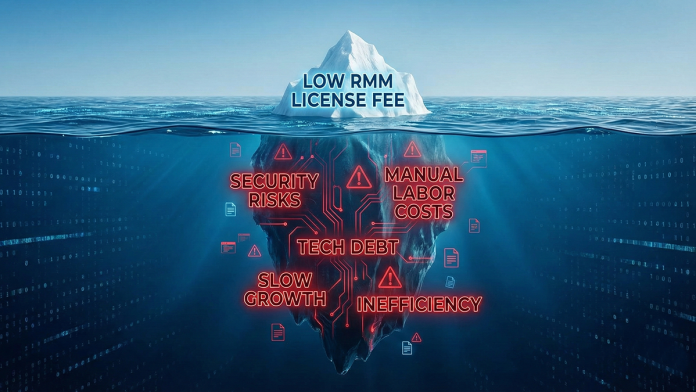
For many managed services providers (MSPs), inertia is the greatest obstacle to innovation. Over time, reliance on outdated remote monitoring and management (RMM) platforms quietly accumulates hidden costs: operational bottlenecks, sluggish response times, mounting support frustrations, and missed opportunities for automation. When a tool starts demanding more time for troubleshooting than it delivers in value, it’s time to face the reality that loyalty to legacy systems is a strategic liability.
A legacy RMM is a liability, not an asset
Using outdated RMM software means you spend too much time troubleshooting instead of growing your business. Legacy tools often lack flexibility, create data problems, and force you into slow, manual scheduling across devices. Even worse, implementation and training costs for complex legacy RMMs can drag out for weeks or months, making basic changes nearly impossible to execute quickly. From personal experiences talking with MSPs and peer stories on Reddit, the stress of wrangling inefficient tools and watching client trust erode can leave a tech team dejected. One MSP endured a five-year contract with a malfunctioning solution and never had a single positive support interaction – until he built a confident business case for leadership to approve the switch.
MSPs running on inefficient legacy tools typically support around 120 endpoints per technician. After switching to right-sized modern platforms, that number jumps to 400–500 endpoints per tech.
A global MSP benchmark survey from Kaseya described the problem clearly: MSPs running on inefficient legacy tools typically support around 120 endpoints per technician. After switching to right-sized modern platforms, that number jumps to 400–500 endpoints per tech. That’s a dramatic difference – making the move delivers real, measurable value.
How you know it’s time to switch
You’ll usually see several red flags: restrictive contracts, inexplicable price hikes, patchy remote connectivity, manual workarounds becoming the only way out of tech roadblocks, and critical features missing or broken. If your team’s daily processes feel like a struggle, it’s a sure sign you need to re-evaluate your RMM stack.
Talk openly with your technicians – they’re the ones dealing with frustrations firsthand. Document every pain point and inefficiency, and turn their insights into requirements for your new tool. Input from your whole team helps you build a stronger case for leadership buy-in.
Building your business case for a new RMM
When pitching the switch, make sure you back up your proposal with both hard numbers and the “soft” benefits:
- Time savings and reduction in recurring headaches
- Consolidation of separate tools and apps that are draining resources
- Greater automation, so you can scale up without adding headcount
- Better security and compliance readiness for your clients
You’ll also build trust with your techs and clients when you show them how the switch unlocks new capabilities and simplifies support.
Picking and deploying your new RMM
Don’t fall for feature checklists alone. Build a shopping list focused on your actual needs: integration, compliance, scalability, and preferred communication methods. When you evaluate vendors, look for ones that offer strong migration support, reliable data protection, and straightforward onboarding training.
Practical migration tips gathered from real MSPs:
- Use your legacy RMM to push out new agents wherever possible, then let the new tool uninstall the old software for you.
- Schedule migrations to avoid busy periods – build in some overlap so you can test before a full cutover.
- Document all settings, scripts, and custom workflows.
- Run a pilot test before the big rollout, so you can refine dashboards and reports without risking customer disruptions.
- Prioritize hands-on training and keep feedback channels open with your techs every step of the way.
Leading your MSP into the future
It takes courage to pivot away from legacy tools, but the rewards are clear: less time wasted, higher technician morale, faster customer support, and real growth powered by automation. In fact, many successful MSPs say that not switching is riskier than making the leap.
If you’re ready, invest time in thorough planning, deep staff involvement, and pilot rollouts. Learn from peer stories – join online MSP communities, share migration experiences, and never hesitate to ask for advice. Take charge of your migration plan, and use straightforward tools and workflows to smooth the transition. The right next-gen RMM platform will not only help future-proof your business, but also put you back in control, letting you focus on delivering value rather than firefighting tech issues.